
Published on July 20, 2026 Reading time: 9 min

Seven reasons why WCAG isn’t enough for the EAA

Post category: Other
A dark blue pattern with the stars from the EU patterns circled on it.

We’ve already covered why U.S. companies should pay attention to the European Accessibility Act, why overlay widgets fall short, and what practical next steps look like.

For most digital teams, those practical steps begin with WCAG, and that’s the right place to start. WCAG is an essential baseline for websites, apps, and digital content.

But for companies providing EAA-covered products and services  to EU customers, WCAG alone won’t get you there.

That’s because the EAA addresses accessibility across the broader user experience: login and authentication, media playback, content conversion, and customer support.

WCAG simply wasn’t designed to cover that much ground.

That’s where EN 301 549 comes in – the European technical standard for Information and Communication Technology (ICT) accessibility. Draft EN 301 549 v4.1.0, the next major revision, is being finalized to align the standard with the EAA’s requirements. 1

So what does EN 301 549 require that WCAG doesn’t? Below are seven examples – hardly a complete checklist, but enough to show why WCAG conformance on its own isn’t sufficient for EAA readiness.

1. Accessibility features must be reachable, not just present

Reference EN 301 549 draft v4.1.0 clause 5.2  (“Activation of accessibility features“)

An accessibility feature only helps if the person who needs it can turn it on.

That sounds obvious, but it’s easy to miss. Imagine the only way to switch on speech output is to read an on-screen menu – the very thing a blind user needs speech output for. Similarly, if larger-text settings sit behind a setup flow that requires users to read small text, then the product may technically contain accessibility features. Users just won’t be able to reach them.

That kind of circular trap is what this requirement is meant to prevent.

A WCAG review may catch an inaccessible button or menu on a web or app surface. EN 301 549 asks the product-level question: can users activate an accessibility feature without relying on the very ability that feature is meant to support? 

Bottom line: Test the activation, not just the feature.

Product team check:

  • If documented accessibility features exist, can users reach and activate them without first needing the feature itself?
  • Are setup, login, preferences, and recovery flows tested with relevant assistive technologies?
  • Does any flow require sight, hearing, speech, or precise touch before reaching accessibility settings?

2. Biometric authentication must offer another route

Reference EN 301 549 draft v4.1.0 clause 5.3 (“Biometrics”)

Face ID, fingerprint login, and voice recognition may be convenient for many users, but they’re not universally accessible.

If biometrics are the only way to log in, approve an action, or control a function, a user whose face, voice, or fingerprints can’t be reliably recognized may be locked out of the service entirely. A banking app, travel account, or loyalty program could unintentionally block customers because of it.

WCAG addresses some authentication barriers, such as flows that depend on memorization, puzzles, or cognitive tests. EN 301 549 adds an additional question: where ICT uses a biological characteristic for identification or control, does the user have another – fully functional, non-biometric – way through?

Bottom line: A face, finger, or voice check shouldn’t be the only route to get in or get things done.  

Product team check:

  • Does any login, approval, identity-verification, or account-recovery flow rely only on biometrics?
  • What fallback non-biometric route is available when a particular biometric doesn’t work for a user group?
  • Have security, identity, product, and accessibility teams reviewed authentication flows together?

3. Accessibility must survive content conversion

Reference EN 301 549 draft v4.1.0 clause 5.4 (“Preservation of accessibility information during conversion”)

Accessibly created content doesn’t always survive conversion to another format.

A document may start out WCAG-aligned, with proper headings, alt text, table headers, and logical reading order. Then it’s exported to PDF, and that structure gets scrambled. A video may include subtitles and audio description, but a transcoding step may drop those accessibility tracks or fail to carry them through.

A WCAG audit focuses on the artifact the user receives: the published PDF, the streamed video. EN 301 549 asks what happens during conversion: does the accessibility information survive in the new format, as far as that format supports it?

Bottom line: Test what leaves the pipeline, not just what enters it.

Product team check:

  • Does your product generate, export, compress, transcode, or transform customer-facing content?
  • Do exported files and media outputs preserve key accessibility information– headings, reading order, table structure, alt text, subtitles, audio description – where the new format supports it?
  • Does QA test the final output, not only the source files?

4. Voice-based service paths must offer non-voice alternatives

Reference EN 301 549 draft V4.1.0 clause 6.4  (“Alternatives to voice-based services”)

Many digital services still assume users can hear prompts and speak responses.

That assumption can show up in automated, voice-based parts of services where customers still get things done: paying a bill, retrieving a balance, or confirming an appointment. When options are only spoken, customers who are Deaf or hard of hearing can be shut out; when a step only accepts a spoken reply, customers who are non-speaking – or whose speech is atypical – may not be able to get past it.

A classic WCAG audit reviews the website or app. It may not reach the phone-based service path. EN 301 549 addresses that gap: when ICT provides voicemail, auto-attendants, or IVR systems, customers must be able to complete the same tasks without relying on hearing or speech.

Bottom line: Don’t make hearing or speech the only way through.

Product team check:

  • Which customer workflows still depend on hearing audio prompts or giving spoken responses?
  • Is there a non-voice route – web, in-app, real-time text – to get the same information and finish the same task?
  • Does the alternative mode solve the task, or does it just send the user somewhere else?

5. Security and custom components must not break accessibility

Reference: EN 301 549 draft v4.1.0 clause 11.6.2 (“No disruption of accessibility features”)

Some accessibility failures can be introduced by tools that were added for good reasons.

Banking or fintech apps often add anti-fraud controls, screen-capture blocking, a custom secure keyboard, or a session-protection overlay. Any one of these can suppress or interfere with platform accessibility features if not implemented carefully. Imagine a customer who relies on their OS’s screen reader, magnifier, switch control, or voice control suddenly finding out those familiar features don’t work inside your app.

A WCAG-only review may not catch this, especially in native apps and other non-web software. EN 301 549 sets a clear rule: non-web software must not disrupt documented platform accessibility features, except when the user specifically requests it.

Bottom line: The security layer should not disable the accessibility layer.

Product team check:

  • Do any security, anti-fraud, or hardening layers in your app interfere with documented platform accessibility features?
  • Have you tested the app with the screen reader, magnifier, and switch/voice control active – not just with automated tools?
  • When a custom component replaces a native one (say, a secure keypad), do the platform’s documented accessibility features still work normally?

6. Media accessibility controls must be as easy to reach as main player controls

Reference: EN 301 549 draft v4.1.0 clause 7.3 (“User control of audiovisual accessibility features“)

Turning on captions (subtitles) shouldn’t take five taps when turning up the volume takes one.

On most media players, volume is easy to find – often on the main control bar or directly on the remote. But switching on audio description or captions may require hunting through a menu and selecting from a sub-list. For viewers who depend on those features, that extra friction matters.

This is about equal effort. WCAG addresses whether captions and audio descriptions are provided. EN 301 549 asks the product-level follow-up: if the player offers controls for those features, can a viewer switch them on with a single action, at the same level as the volume control? Or are they buried several steps deeper?

Bottom line: Check how deep captions and audio description are placed, not just whether they exist.

Product team check:

  • Where the player controls subtitles, audio description, or spoken subtitles, can users activate them with a single action – at the same level as the volume control (not several steps deeper in a settings menu)?
  • Does that activation path also meet the other applicable accessibility requirements – for example, can it be used by keyboard, screen reader, and switch users where relevant?

7. Simultaneous inputs must not be the only path

Reference EN 301 549 draft v4.1.0 clause 5.9 (“Simultaneous user actions“)

Some controls only work when the user does two things at once, but not every user can.

A confirmation that requires a two-finger pinch, a control that requires pressing two keys at the same time, or a payment approval that requires holding one control while pressing another: each of these can shut out a user who operates a device one-handed, with a single finger, a head pointer, or a switch. The interface can be visually polished and still be impossible to operate.

WCAG covers part of this for web pointer gestures. EN 301 549 goes further: if one way of operating something requires simultaneous actions, there has to be at least one other way that doesn’t. 

Bottom line: Anything that requires two inputs at once needs a one-at-a-time path.

Product team check:

  • Does any task in your product – checkout, payment approval, confirmation, or media control – require simultaneous inputs as the only path?
  • Is there an alternative way to complete the same task through sequential actions, rather than simultaneous ones?
  • Have core flows been tested with one-finger, one-handed, switch, and voice-control operation where relevant?

The takeaway

WCAG compliance remains essential, and no digital accessibility program can properly function without it. But for companies selling covered products or services to EU consumers, treating WCAG as the entire roadmap creates a serious readiness gap.


Special thanks to Susanna Laurin, Chair of the ETSI/CEN/CENELEC Joint Technical Body on eAccessibility – which develops and maintains EN 301 549, the standard underpinning EAA conformance – and Managing Director of the Funka Foundation in Sweden, for her comments.

  1. Version note: The current published  version, v3.2.1, is harmonized under the EU Web Accessibility Directive (WAD) – the law covering public-sector websites and apps – and is the practical benchmark available today. Draft V4.1.0 is the current working draft of the EAA-focused revision, prepared under the Commission’s standardisation request M/587 to support the European Accessibility Act. It updates some clauses to align with WCAG 2.2 and maps its clauses to the EAA’s essential requirements. Once a finalized V4 version is cited in the EU’s Official Journal, conformance with the relevant normative clauses will provide a presumption of conformity for the products, services, and requirements those clauses cover. All seven clauses covered in this blog appear in both versions; draft V4.1.0 refines several of them. ↩︎
Published on April 26, 2026 Reading time: 6 min

The road to a semantic future

Post category: Other
colorful drawings of neural network nodes on dark blue background

If you’ve read about our Semantic Agent and how it works, you know that it comes with a set of predefined skills and the ability to learn new ones. And that’s a powerful set of capabilities that out of the box make it a radical improvement – at least a 32X improvement – in the price-performance for browser agents.

So an agent-maker could simply replace their agent with our Semantic Agent and get all those benefits. 

But there’s an alternative that any agent-maker could consider, and that’s to make their own agent better. The advantage of this route is that it’s more flexible and future proof.

Introducing WebMCP

WebMCP is a proposed new standard put forward quite recently by Google and Microsoft. It proposes how websites can expose their capabilities to autonomous agents. Developers do so by explicitly defining “tools” in their code, tools that are intended explicitly for AI agents to use. (It’s part of a larger contract-driven development trend in AI coding.) 

Architecturally speaking, WebMCP does this via two primary interfaces:

  • Declarative API. This allows developers to annotate native HTML forms with attributes like toolname and tooldescription, explicitly telling agents how to interact with them.
  • Imperative API. This allows developers to author custom JavaScript to expose complex, multi-step workflows to agents.

For WebMCP to become the universal standard, however, millions of developers need to manually annotate existing forms (for the Declarative API) and write custom JavaScript for complex UI patterns (for the Imperative API). 

That’s a lot of work. And here we have a classic chicken-and-egg problem. Without a critical mass of WebMCP-enabled websites, AI providers won’t fully optimize for it. Yet if AI providers don’t commit deeply, developers will lack the incentive to do all the manual work on their end.

To break this gridlock, we need a way to implement these agentic contracts automatically.

An auto-population approach

It turns out, we think we can do the WebMCP work required for developers, and do it at runtime as the agents hit the developer’s site, without the developer needing to lift a finger.

We call our approach Semantic Auto-Population, and it executes as an overlay in the browser. 

Imagine an agent visiting a website. During page load, the browser queries our backend cache. If the page contains standard accessible components (like properly structured WAI-ARIA comboboxes or data grids) or workflows that have been successfully cached already as learned skills, the browser automatically injects the corresponding Declarative and Imperative WebMCP tools directly into the web page’s DOM.

This instantly enables highly reliable, WebMCP-compliant capabilities across a massive swath of the internet. It transforms legacy, human-centric interfaces into structured, agent-ready APIs in real-time, all without requiring heavy validation logic to run on the client’s machine.

But it doesn’t fix the problem at the source. It turns out we have an idea for that, too.

Making the source agent-ready

As an accessible development company, we’ve been leading our industry for years in building tools that can automatically assess a site’s defects with respect to how well elements and especially interactable elements are described. So we’ve already built a tool – we call it an Agentifier – that scores a website automatically for “agent readiness,” and it generates a detailed report of all the semantic problems for a website that would prevent semantic auto-population. This information is deliverable to developers in the usual ways, as a report with fix instructions. 

But that’s just the usual way. We can also deliver this exact same capability as an MCP server or plugin for AI coding assistants. That means developers can instruct their AI coding agents to read the feedback from Evinced and autonomously remediate the issues we report. In the process, the coding agent can take live instruction from Evinced on how to generate and apply the necessary WebMCP HTML annotations and JavaScript snippets directly to the local codebase. 

Suddenly, we have a way to fix the codebase itself, in a way that prepares every site for the agentic future. And still with minimal hassle for developers.

The 100X opportunity

So our hypothetical agent-maker now has two ways to get a 32X price-performance advantage vs. peers, and neither require much work from developers. So far so good. 

But there’s actually even more opportunity, and this one has to do with accessibility.

When we built our Agentifier tool and did our research, we noticed something hidden inside the average 32X price-performance improvement that we reported above. For sites inside that average with high semantic structure, the average PPI was well over 32X. Even more importantly, we discovered that by diagnosing a site with the Agentifier and fixing just a few key semantic issues—like properly defining a role or state—the performance gains skyrocket. In these cases, the price-performance improvement exceeded 100X.

In effect, if website owners could also fix even some of the accessibility of their websites using existing Evinced tools, the performance advantage for our hypothetical agent-maker could be enormous. But why would website owners do the work? It’s another chicken-and-egg problem. 

We can think of two ways through. Either will work by itself or they can be used in combination.

First, the work to improve the accessibility of websites is now at a state where it can also be run inside agentic coding workflows. Indeed, our MCP Tools product is set up for exactly this. So instead of a developer having to manually create WebMCP tools, they can use our MCP Tools to both automatically fix their accessibility issues and the needed WebMCP tools will be created automatically. 

Second, if our agent-maker has enough influence with website owners, or simply if website owners see the agentic bandwagon coming, they could choose to act sooner. Websites that act sooner will be privileged in some way, as agent-makers will want to steer traffic toward experiences that they know will be better for end users. If you ask an agent to book you a trip to Paris, that agent may well have a choice about which website to use for that request. A website that has already been vetted to have high accessibility (and compatibility with WebMCP) would naturally get that business.

The future is machine-readable

So agent-makers have a clear and reliable path to outperformance now, and a reasonable path toward even higher outperformance in the future. 

The future of the web isn’t just about what humans can see; it’s about what machines can understand. We think our Semantic Agent and the tools and strategies we’ve laid out here will get agent-makers there faster. And the win-win here is that these improvements will simultaneously make the web better for humans, too.

Published on April 26, 2026 Reading time: 4 min

How our Semantic Agent works

Post category: Other
colorful drawings of neural network nodes on dark blue background

You may have seen in an earlier post why we developed a Semantic Agent to transform the way agentic browsing works. But how does it work?

Consider that today’s browser agents act like every website and task is completely new.

To complete a task, they take a screenshot of the target page and pass that along to an LLM, along with a lengthy representation of pretty much all the HTML on the web page. They ask the LLM, “What should I do next?”

The model’s answer is usually a directive to click on a specific position or element, or to type a string of text. But at each step, the agent has to guess, act, verify, and guess again, making costly LLM calls for every single interaction.

Some browser agents have tried to optimize by asking the LLM to predict a sequence of multiple next steps. But web pages and web apps are highly dynamic.

Imagine an agent instructed to type into a combobox. The moment it starts typing, a dropdown menu might appear. Because the standard agent doesn’t structurally understand that it’s interacting with a combobox, this unexpected change in the user interface ruins its plan. So, like a driverless car confused by a traffic situation, it has to stop and ask for advice. In the agent’s case, that’s another expensive roundtrip with the LLM.

Getting an agent to understand

But what if the agent didn’t have to guess about what or where an element was on a web page? What if the web page could explicitly tell the agent, “I am a search button, and here is exactly how you interact with me”?

This is the core of our Semantic Agent architecture. Instead of relying on pixel-based vision and probabilistically guessing UI boundaries, our agent connects directly to the underlying structural meaning of the page: its native semantic HTML and web accessibility traits (WAI-ARIA).

On a web page, this information is available, to varying extents, in the accessibility tree. So our Semantic Agent agent doesn’t need to “see” the page, it doesn’t need to guess, and it doesn’t have to constantly run to the LLM to help it get over snags. Instead, it works off precise, highly structured information about states, roles, and labels.

Two kinds of knowledge

To make this architecture scalable, we gave the Semantic Agent, in effect, two kinds of knowledge: a set of skills, and a way to learn (and re-use) new ones.

  • Predefined skills. Using our Pattern Intelligence that we’ve developed elsewhere at Evinced, we taught our Semantic Agent about standard web components. If they are properly coded, our agent will know on a given page how any comboboxes, modal dialogs, tables, lists, or other established WAI-ARIA patterns are supposed to work.
  • Learned skills: When the agent successfully completes a new task, like booking a first class ticket to Paris on Air France, it will store that entire workflow for future reference. And note that the flow information that is stored relies on semantic identifiers pulled from the accessibility tree. Unlike fragile CSS selectors that fail with minor DOM updates, or visual scripts that break the moment a button moves two pixels, semantic identifiers remain predictable and resilient even through significant cosmetic redesigns of a web page. This allows the agent to execute subsequent, similar tasks with minimal LLM interaction.

Measuring the size of the opportunity

One of the nice things about the LLM and agent world is the presence of lots of benchmarks. So we could easily test the efficiency of our Semantic Agent against leading standard agents using the tough Online Mind2Web benchmark. 

We’re pleased to say that our Semantic Agent performs 32X better than standard browser agents on this benchmark. That 32X is a price-performance improvement and reflects our agent being both radically faster and cheaper than alternatives.

But there’s more. This performance is based on the average website in the benchmark. But some of those websites are more accessible than others. And when we measured the accessibility of all the websites in the benchmark, we noticed our agent performed even better, relative to alternatives, on websites that were more accessible – indeed, more like a 50X price-performance advantage. We even analyzed the sites in the benchmark and concluded that if they made a small number of changes that we could get to a 100X price-performance improvement. 

By now, it should be clear that the future of agentic browsing and accessibility are very intertwined, and that the more accessible a site is, the better an agent will perform. In our next post on this topic, we’ll turn to how to support all this change on the website end.

Published on April 24, 2026 Reading time: 4 min

Another reason to care about accessibility

Post category: Other
colorful drawings of neural network nodes on dark blue background

We all know the arguments about why things should be accessible, and we’ve seen and heard the United Nations statistics about how 16% of the world is “disabled” at any one time. 

At Evinced, we’ve always thought about this problem a little differently. If you’re building a house, why would you size the doors so that your taller guests have to stoop on the way into your house for dinner? Are they “disabled?” And if you’re building a website, why ship it so that some people can’t use it, if there’s a straightforward alternative?

Or to put it starkly, why ship wrong if you know how to ship right?

But there is a new reason for accessibility, one that we’ve proven in our labs to have some really interesting implications.

It turns out that it matters not just to whom something is accessible, but to what.

It turns out that machines, of all things, need accessibility too. To an Evinced reader, this should not be totally surprising, since after all what is a screen reader but a machine?

A long time coming

When we first got exposed to the need to make software accessible, we noticed a glaring technical problem right away.

The problem was semantics. 

In the technology world, semantics is the art of describing the purpose and meaning of things. From there, it’s a short hop to understanding how something should behave as well.

In the case of a web page, semantics would be used to describe that the purple rectangle at the top of the page, the one with the word “Buy” on it, is in fact a button, and that clicking it relates to starting a purchase experience. 

Sighted users can usually infer what they need to know – that this purple thing is a button, for example – but everybody else is up a creek without a paddle. And when the web started out, semantic HTML was one of those goals that everybody said they aspired to and few achieved. 

It hasn’t been just the web that suffered from a lack of semantics, either. It was also:

  • RPA (Robotic Process Automation): These were “screen scraping” and other tasks recorded by humans and then replicated by bots. 
  • Test Automation. Here, QA teams wanted to record flows so they could conduct a functional test, then re-run the exact same functional test after changes were implemented, to make sure nothing had been broken.
  • Voice Assistants. Siri, Google Assistant, and Alexa aimed to answer many questions by interacting with a web page in the background.

But especially in earlier days, these technologies suffered because they could not truly “read” or even interact with the web pages they were asked to target. In the case of RPA and Voice Assistants, it was simply hard to be accurate. In the case of Test Automation efforts, recorded flows were subject to breaking constantly as the underlying web page changed slightly.

Same problem, new workaround

Now comes agentic browsing. This is the idea that a browser should be able not just to show you stuff, but to do stuff. For example, an agentic browser might be tasked with getting you two tickets on the next flight to Paris. 

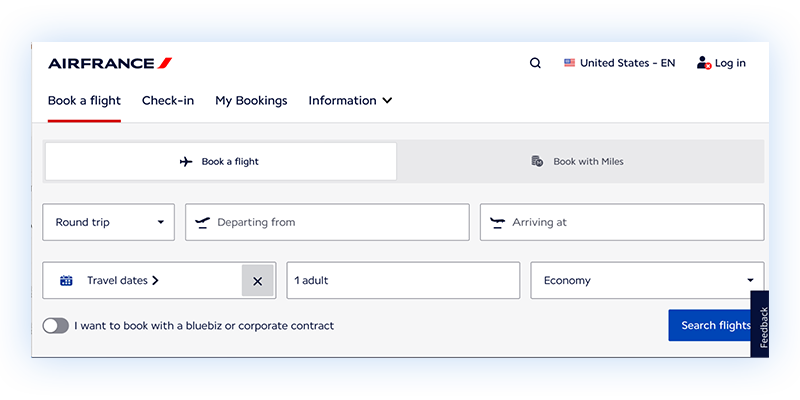
But there’s the trouble. If the agent doesn’t understand how the Air France website works, if it doesn’t know what each of the pieces on the website does, how will it figure out where to specify what day you want to leave and which airport you want to depart from?

The workaround that agentic browsing has adopted is simple in theory. It just takes a screenshot, sends it off to a Large Language Model (“LLM”), and asks the LLM to figure all that out. And it turns out it would have to ask many, many questions, many times, with lots of detail provided each time, to get everything filled out correctly.

If that sounds inefficient and expensive, it is. And frankly it’s the main reason agentic browsing hasn’t, ahem, taken off.

Introducing a Semantic Agent

What’s needed is an agent that understands web pages. And it’s beginning to look like we’ve made one in our labs. We’re calling it (no surprise here) a Semantic Agent. To work, it relies on our understanding of accessibility, and it improves with the quality of the accessibility on the target website. And more than that, it’s about to change the game.

In the next few blog posts coming, we’ll show you just how.


Read “How our Semantic Agent works” next

Published on July 2, 2025 Reading time: 10 min

Five things U.S. companies should know about the EAA (beyond the basics)

Post category: Other
A dark blue pattern with the stars from the EU patterns circled on it.

As the European Accessibility Act (EAA) transitions to full enforcement, U.S. companies providing any covered digital products or services to EU consumers should, by now, have checked whether they fall within its scope.

(Not sure if the EAA applies to you? See our primer “Why US companies need to pay attention to the EAA”).

So what should you actually do about it?

We’ve outlined five critical realities that U.S. companies need to understand, along with practical next steps to help you move towards compliance.

1. “One-line-of-code” overlays won’t satisfy regulators

You’ve likely seen ads for accessibility widgets or browser add-ons that promise “instant compliance”. The idea is you put a snippet of code into your website’s header, and then subsequent visitors will see an “overlay” – a popup window – that enables them to manage some things, like font sizes and font colors. 

Instant accessibility? If only it were that simple.

The EAA isn’t looking for window dressing. It requires accessibility to be baked into the code, design, and content of your product or service, not layered on top. 

EN 301 549 version 3.2.1 is the EU-harmonized technical benchmark for products and services. Using it is optional, but meeting all its clauses creates a legal presumption of EAA conformity – regulators will assume you comply unless they find evidence otherwise. The standard references the Web Content Accessibility Guidelines (WCAG) 2.1 AA and adds extra requirements for information and communications technology (ICT) – essentially, any tech that stores or transmits data, including software, hardware, biometrics, documentation, and support services.

A draft revision is set to adopt WCAG 2.2 AA while keeping all the extra ICT and hardware rules that go beyond WCAG (as examples, raised tactile markers on physical buttons and non-biometric login alternatives).

Overlays alone won’t get you there. Worse, they can even interfere with real assistive tech like screen readers. 

Regulators know this. The European Commission makes it clear:

“The legal accessibility requirements in the EU are underpinned by technical criteria specified in the harmonised European standard EN 301 549 v3.2.1. (…) Overlays, or any other tools which do not ensure the website itself meets the detailed criteria of the standard, are not an appropriate solution.”

So if your site relies on an overlay, don’t be surprised if you still get flagged for non-compliance.


Next Step: Do the work. There are no shortcuts, but there are smart, scalable ways to get there.

  • At a Minimum: Commission an audit that tests with real assistive tech, combines automated tools with manual verification, and develops a punch list of code, design, and content issues to fix. This would just serve as a stopgap, however, as gaps will reopen as the product evolves. But it will be better than doing nothing.
  • Our Recommendation: Budget for, and equip your team with, the people and tools to fix structural and semantic code issues and ensure accessible design and content. There are excellent solutions available that will enable your designers and developers to build accessible experiences on an ongoing basis. And without needing to train your entire team on EN 301 549.

2. Fixing bugs isn’t enough: you need to fix your development cycle

Accessibility isn’t a one-time fix, since the list of problems your team received in an audit several months ago is probably already partially obsolete. Instead, accessibility requires a mindset shift embedded into every layer of your product lifecycle. 

Teams that “shift left” — industry shorthand for moving testing activities to earlier in the development process — spend less on rework, scale better, and get to market faster. Even better? Prevent those defects at the design and coding steps. When accessibility is integrated effectively, companies deliver better UX to their customers, and reduce legal risk down the line.

The logic is simple: the earlier you fix it, the cheaper and more effective it is to fix. Waiting until QA (or worse, fines and corrective orders) means spending way more to retrofit solutions. And even then, compliance gaps often remain.

It’s easier (and smarter) to build accessibility in right from the start. 


Next Step: Shift Left. Start embedding real accessibility into your SDLC.

  • Start simple: If you haven’t, hire one accessibility expert. If you can’t, assign a small task force to coordinate accessibility efforts across teams. This group can own your initial audits, track issues, and begin building awareness across design, development, and QA.
  • Best-case scenario: If resources allow, embed prevention and detection tools across each stage of the development lifecycle.

3. Documentation matters – especially under scrutiny

If your company is subject to the EAA and still behind on compliance, your best move is to contact the overseeing authority in each country where you operate – before they contact you.

While it may not prevent a fine, a proactive approach could make a difference. The harshest penalties are levied on companies that are overtly non-compliant and unresponsive to local regulators. 

Keep in mind that enforcement is decentralized and even a single oversight, like a broken checkout flow, can trigger investigations in multiple countries at once. If that were to happen, regulators will want to see evidence of genuine, documented efforts to comply, especially if you’re relying on self-assessment routes.

So yes, it pays to have your (documentation) house in order.


Next Step: Assume you’ll be audited. Prepare accordingly.

  • Map the authorities that cover your sector in every EU market you serve. Each Member State divides “surveillance” tasks differently. In France, for example, DGCCRF handles some consumer-product checks, while ARCOM regulates audiovisual and online media, and the AMF oversees financial markets and banking services.
  • Publish a required ‘declaration of conformity’ for any physical product and display the CE Conformity Mark confirming EAA compliance. Services do not get a CE mark, but service providers have to publish information assessing how the service meets the accessibility requirements. This may be in the terms and conditions, or in a different statement.  
  • While not required by the EAA, we suggest that you provide a way for users to submit accessibility complaints. This lets problems get flagged early, and gives you a record of timely responses, which is evidence of good faith if regulators investigate. Of course, if you don’t respond, it’s a record of un-timely responses, too.

4. Even if you’re a B2B company, you’ll feel the impact

At first glance, the EAA may appear to affect only the business-to-consumer (“B2C”) world. And it’s true, the law does target “economic operators” that place consumer products or services on the EU market — manufacturers, importers, distributors, and service providers – and spells out their specific obligations. 

But if you’re a business‑to‑business (“B2B”) company, you don’t get to ignore it.  

If your software, platform, or hardware is embedded in a consumer-facing experience, or is ultimately sold to consumers down the line, you will still feel the impact: your clients still need to meet accessibility requirements. They won’t risk non-compliance because your component creates a barrier. EU buyers, especially in the public sector, already include accessibility clauses in procurement under Article 42 of the Public Procurement Directive.

Overlook that ripple effect and you risk being fenced out of the world’s largest single market. The European B2B e-commerce sector was valued at $1.3 trillion in 2022, and is projected to grow to $2.2 trillion by 2027–a 10.2% growth rate.

You probably don’t need us to say it, but that’s too big a market to miss because of accessibility gaps.


Next Steps:

  • Assess whether your products or services feed into any consumer-facing products or workflows. Ensure your offerings align with recognized accessibility standards, specifically the EN 301 549 and any other relevant European standards for your sector, to remain competitive in procurement processes.
  • Prepare EU-friendly accessibility documentation proactively, so you’re ready when buyers ask. While Voluntary Product Accessibility Templates (VPATs) are commonly used in the U.S., EU buyers will expect clear conformance statements aligned with EU standards.

5. Exemptions and grace periods are narrow (and probably don’t apply to you)

The EAA expects full compliance for products placed on the EU market and services provided on or after June 28, 2025, but it does include a few clearly defined exemptions and transition periods. These carve-outs are limited in scope, however, and strictly regulated.

“Micro-enterprise” exemption: If you have fewer than 10 employees, less than (or equal to) €2 million in annual turnover, and provide covered services only, you’re exempt, per the EAA. Once you make or distribute a covered product, the product-accessibility rules apply – though some administrative requirements are waived.

Transitional measures & grace periods: The EAA offers narrow transition allowances for products and services that were already on the EU market prior to June 28, 2025:  

  • Existing service contracts signed with consumers before June 28, 2025 can continue unchanged for up to five years after signing them.
  • Products already in use – within these compliant service contracts – may also remain in operation until June 2030.
  • Installed self‑service terminals (e.g. ATMs, ticket kiosks) can stay in use until the end of their economic life, potentially up to 20 years, but only in member states that opt in to this clause.

Anything launched, or materially updated after June 28, 2025 must comply from day one.

“Disproportionate burden” or “fundamental alteration” exemptions: If meeting every EAA requirement would impose an unreasonable cost (considering the estimated benefits for persons with disabilities), or require redesigning your product or service beyond recognition, you may request a limited exemption. To qualify, you must: 

  1. Run a formal assessment against the EAA’s criteria for disproportionate burden claims.
  2. Document costs, constraints, and alternatives considered, and 
  3. Review and update the assessment at least every five years. 

File your request proactively with the competent authority in every member state where you want relief, and keep the documentation handy; regulators can ask for it at any time.


Next Step: Prioritize remediation, whether or not the deadline has passed.

  • Fix the biggest accessibility blockers first: keyboard traps, broken navigation, inaccessible forms, missing alt text/captions.
  • If you missed the June 2025 date, show ongoing effort towards compliance. Even though the EAA doesn’t require it, consider including a remediation roadmap with your internal documentation or product conformity declarations. 
  • If you’re invoking an exemption, be proactive and inform authorities early. Budget for both the initial assessment and scheduled reviews.

Don’t wait; make EAA compliance part of your growth strategy

The EAA marks a shift in how products and services are built, sold, and regulated across Europe – and increasingly, across global markets.

It’s also a strategic inflection point, and one your company can’t afford to miss. The business case speaks for itself: around 101 million people in EU countries (that’s roughly 1 in 4 adults) report having a disability. And in a region with an aging population, that number is only growing. ROI studies from the UK and the U.S. show how often these shoppers abandon inaccessible sites and reward the ones that are accessible. The same takeaways apply to any company selling in the EU:

  • The UK’s “Click-Away Pound” surveys (2016 and 2019) found that almost 70% of consumers with accessibility needs abandon purchases on websites that are difficult to use. That’s revenue walking out the door.
  • Tesco reportedly generated £13 million in additional annual revenue after investing just £35,000 in making its website accessible.
  • A Forrester Total Economic Impact study modeled a €2.28 million revenue increase for a midsize retailer, just by making its site easier for users with disabilities. The gains came from capturing purchases that were previously abandoned due to access barriers.

What these highlight is that accessibility isn’t just a compliance box to check: it’s a growth strategy hiding in plain sight.


Special thanks here to Susanna Laurin, an original contributor to the European Accessibility Act and Managing Director of the Funka Foundation in Sweden, for her comments.

Published on June 26, 2025 Reading time: 2 min

The EAA Readiness Report is, well, ready

Post category: Other
A dark blue pattern with the stars from the EU patterns circled on it.

In the US, June might seem like a month for weddings or Juneteenth or Father’s Day. And it is.

But this year, it’s also the month in which the European Accessibility Act (“EAA”) is going to take effect across all 27 countries that belong in the European Union.

Who the EAA applies to

Companies headquartered outside the EU – the US of A included – could be forgiven for thinking the EAA doesn’t apply to them.

But the reason it’s called the European Accessibility Act is because it’s there to protect European consumers. What matters most is whether you are providing products and services to Europeans, not where your company is headquartered.  

Given that the US sells almost $400B of goods to Europe a year, there’s a good chance that plenty of US companies are going to be subject to EAA. Ditto for companies based in the UK, Canada, Mexico, and Brazil, all of which are important trading partners, too.

So with this in mind, we thought it would be helpful to study what European companies have done to get ready for EAA, since they have little doubt that the EAA applies to them and they’ve had six years of advance notice. We hired a third-party research firm and they spent two months talking to 120 companies headquartered in Europe.

The results? Well, you’ll need to read the report. The not-so-good news is that the state of readiness is a little shaky, as only 27% of companies we talked to consider themselves fully prepared. 

The good news

But the good news is there’s nearly universal interest in transforming product development so that accessibility errors don’t see the light of day.

Different teams can have different views on how to make that transformation happen. But the conversation, as of June 28, 2025, isn’t going to be about whether to do it.

It’s going to be about how.  

By proposing and implementing such a coherent and comprehensive set of guidelines with a long reach across borders, the EU has effectively changed the terms of how companies are going to view accessibility going forward. 

So, even if companies haven’t prepared as much as they could have, it still gives us something else to celebrate in June.

How to get the report

The EAA Readiness Report is available for immediate download on this page.

Published on June 25, 2025 Reading time: 10 min

Why U.S. companies need to pay attention to the EAA

Post category: Other
A dark blue pattern with the stars from the EU patterns circled on it.

If you’re a U.S.-based business, it’s easy to assume that the European Accessibility Act (“EAA”) doesn’t apply to you. 

But if your digital products or services reach consumers in any of the 27 EU member states, that assumption could cost you. The EAA, like the General Data Protection Regulation  (GDPR) before it, has extraterritorial reach. It protects EU residents no matter where a product originates, so any company doing business in the EU, directly or through partners, falls within its scope. 

There’s no exemption for companies that are American, or Canadian (or Antarctican, for that matter). 

As of June 28, 2025, companies that fall under the EAA’s scope are required to comply with its directives – or face penalties.

How to know if your company is subject to the EAA

You’re in scope if your product or service is on the market on or after June 28, 2025, and both of the following are true:

1. You provide a covered product or service to EU consumers, making you an “economic operator” (manufacturer, importer, distributor or service provider). Examples include:

  • Consumer-facing websites or mobile apps that provide e-commerce services
  • General-purpose computer hardware and operating systems 
  • Consumer-facing self-service terminals (e.g., ATMs, ticketing kiosks, check-in machines)
  • E-readers and audiovisual media services
  • Online banking, e-books, and digital transport services
  • Electronic communications and emergency services

AND

2. You’re not an exempt microenterprise. The EAA does not apply to businesses with fewer than 10 employees and less than or equal to €2 million in global annual revenue (about $2.25 million USD) – If they provide covered services only. A microenterprise that manufactures, imports, or distributes covered products is still subject to all EAA requirements. [1]

If both conditions apply, then so does the law.  


Quick check: are you in scope?

1. Confirm whether your offering appears in the EAA’s list of covered services or products 

2. Ask yourself:

  • Do EU consumers use your website/app to buy, book, watch, read, or bank?
  • Do you sell, ship or license consumer hardware that enables those services?
  • Do you target EU users via local language, currency, domains, or ads?
  • Do you take orders from or support EU residents? 

3. Apply the micro-enterprise test. You’re exempt only if all of the following are true:

  • You have fewer than 10 employees
  • Your global annual revenue is ≤ €2 million
  • You provide services only (no covered physical products)

A real-world example: Let’s say you’re a U.S. website selling pet food and taking orders from consumers in Belgium. With only 8 employees and €1 million in revenue, you meet the micro-enterprise thresholds and, as a pure e-commerce service, are exempt. That exemption disappears if you:

  • Hire more staff (e.g. grow to 12 employees), or
  • Launch a smart payment kiosk for in-store reorders (a covered product)

In either case, full EAA compliance would immediately apply.

Note: When in doubt, consult legal counsel or the competent authority in each EU market where you operate.


What does it mean to comply with the EAA?

The EAA demands that consumer products and services – digital or physical – be accessible, usable, and safe for people with disabilities. Below is a plain-language summary of the EAA’s core accessibility requirements for products and services, highlighting the most common, high-impact obligations. The law also offers a list of “non-binding examples” of practical solutions to support compliance.

EAA RequirementWhat it Means 
Make digital experiences accessibleWebsites, apps, and online services must be perceivable, operable, understandable, and robust (the four principles of accessibility).
Provide information via more than one sensory channelOffer non-visual and non-auditory alternatives, such as screen-reader output, text-to-speech, captions, or tactile cues. 
Offer inclusive user interfacesFeatures for users who can’t see, hear, speak, or use fine motor skills, e.g. adjustable contrast, magnification, text-to-speech, tactile controls, non-voice login options.
Work seamlessly with assistive techInteroperate with screen readers, braille displays, hearing aids, etc., while safeguarding privacy and security.
Meet sector-specific requirementsExtra rules for transport, banking, media, e-commerce, emergency services, e.g. real-time text, accessible ebooks, sign-language support.
Make packaging & product info accessibleLabels, manuals, safety instructions must be available in multiple accessible formats.
Keep customer-support channels accessibleHelp desks, call centers, and tech support must be reachable via accessible modes and able to explain compatibility with assistive tech.
Provide clear compliance documentationServices: publish a conformance statement.[2]
Products: issue an EU Declaration of Conformity and affix a CE mark. 
Reference EN 301 549 (recommended)The harmonized EU standard builds on WCAG 2.1 Level AA with some additional requirements. Conformance with EN 301 549 creates a presumption of EAA compliance.

These are mostly things your company should be doing anyway (many of our customers are already focusing on WCAG 2.2, for example, which is expected to soon be incorporated into an updated EN 301 549). But in the US, where the regulatory picture is a patchwork of laws and rulings from lawsuits, many US companies don’t feel like they are under time pressure to get their accessibility situation straightened out.

But they quite likely are.

If the EAA applies to you, you’re subject to enforceable penalties as of June 28, 2025.  That’s when each EU member state’s version of the law — adopted through a process called “transposition” — goes into effect.

What about B2B companies?

The EAA doesn’t regulate B2B transactions. It applies to the economic operator that puts a covered product or service on the EU consumer market — not to every upstream vendor in its supply chain. 

That said, if your software, platform, or hardware is embedded in a consumer-facing product, you’ll still feel the impact: your customers can’t buy inaccessible components from you and remain compliant.

If you are…Are you “in scope”?
A bank, e-commerce retailer, streaming platform, or kiosk importer/operator serving EU consumersYes. You are the “service provider”, “manufacturer” , “importer” or “distributor” defined in the EAA, and have obligations to ensure accessibility.
A U.S. SaaS vendor, cloud host, or component supplier that sells to consumer-facing operators in the EUNo. But you will likely be unable to sell your inaccessible software/hosting service/device to those operators, because they must comply.

About EAA penalties: how non-compliance can cost you across the EU

The European Union doesn’t enforce the EAA directly. Each member state does, so one accessibility failure can trigger penalties in several countries at once.

Enforcement may include:

  • Administrative fines of up to 10% of your company’s annual turnover (Netherlands [3] and Poland [4])
  • Daily accruing fines for unresolved issues (Cyprus [5]) 
  • Market withdrawal orders or bans on non-compliant products and services across all Member States[6]
  • Criminal sanctions of up to €1 million (Luxembourg [7])

And yes, you can be fined repeatedly if you fail to fix the problem. Some countries, like France and Italy, allow escalating penalties over time. [8]

In rare but serious cases, you could even face jail time! 

  • In Cyprus, violations can result in up to 3 years’ imprisonment, though it’s unclear whether this applies to directors, officers, or legal representatives [9].
  • In Ireland, individuals or companies can face up to 18 months’ imprisonment, depending on the severity of the breach.[10][11] 

A real-world scenario

Let’s say you’re a large U.S. e-commerce company with an app and kiosks used across several EU member states, and that you fall short on these key EAA requirements:

  • No CE marking on your kiosks.

The EAA requires CE marks to appear “visibly, legibly and indelibly” on the product or its data plate. If that’s not possible, then on the packaging and accompanying documentation.

  • Zooming the app to 200% overlaps content and hides product prices.

Visual content must provide for flexible magnification so low-vision users aren’t excluded.[12]

  • Error messages rely on red text alone (so color-blind users can’t tell what went wrong). When color is used to convey information, an alternative cue must also be provided.[13]

Here’s what can happen:

  • Ireland can impose a fine of up to €60,000 for the missing CE mark. [14]
  • Germany can issue administrative fines of up to €100,000 for serious accessibility violations. [15]
  • Italy can impose administrative fines of up to €40,000 if a user files a complaint, and if authorities confirm non-compliance. [16]
  • Spain can levy a €600,000 fine for a single “very serious” infraction.[17] 

That’s €800,000 in fines — just across four countries.  

But what if your app is available in all 27 countries? 

One regulator’s decision can snowball. Under EU rules, a national authority must alert the European Commission and other member states when it finds a breach. Your app could then be delisted EU-wide.[18]

Enforcement follows a clear process

You won’t be fined €800,000 overnight. Enforcement under the EAA follows a structured process. 

  1. First, the national authority investigates and requests full cooperation from you.
  2. If a real issue is found, you get a reasonable window to fix it.
  3. Only if those fixes are ignored — or incomplete — does the matter escalate. 

That said, it’ll clearly be cheaper in the long run to comply, especially when you consider that every day your site or app is not accessible, you’re already losing business. That’s the biggest fine of all. 

Final thought

The EAA is probably the strongest push for digital inclusion in global law, and EU regulators are already writing significant penalties into national law. But the real stakes extend far beyond potential fines. Public non-compliance headlines can erode brand equity; inaccessible products shut the door on EU markets; and major buyers will simply drop vendors whose tools exclude users with disabilities. 

But there’s good news, too. A solid, heads-up job on accessibility at your company should keep you not only EAA-ready, but compliant in most Western markets – and beyond.


Special thanks here to Susanna Laurin, an original contributor to the European Accessibility Act and Managing Director of the Funka Foundation in Sweden, for her comments.


References

[1] Directive (EU) 2019/882, Art. 4(5). 

[2] Directive (EU) 2019/882, Recital 81: For services, the information necessary to assess conformity with the accessibility requirements of this Directive should be provided in the general terms and conditions, or in an equivalent document, without prejudice to Directive 2011/83/EU of the European Parliament and of the Council.

[3] Netherlands: Field Fisher insight

[4] Poland: Accessibility Act for Certain Products and Services 2024 Article 73; and Bird & Bird summary

[5] Cyprus: Law 57(I)/2024, Art. 36(2).

[6] Directive (EU) 2019/882, Art. 20 – Procedure at national level for dealing with products not complying with the applicable accessibility requirements

[7] Luxembourg: Loi du 8 mars 2023, Art. 33 – Criminal Sanctions.

[8] Forbes Business Council (Jan 16 2025) – “EAA Compliance Requirements for Websites.”

[9] Cyprus: Law 57(I)/2024, Art. 38(ββ).

[10] Ireland: Irish S.I. 636/2023 , Art. 32 Offences: Penalties 

[11] Mason Hayes & Curran, “European Accessibility Act Implemented into Irish Law.”

[12] Directive (EU) 2019/882 Annex I 2 (c),

[13] Directive (EU) 2019/882 Annex I 2 (d)

[14] Ireland: Irish S.I. 636/2023, Art. 32.Offences: Penalties

[15] Germany: Barrierefreiheitsstärkungsgesetz (BFSG), Art. 37(10)(2) and Field Fisher insight

[16] Italy: Legislative Decree 82/2022, Art. 24.

[17] Spain: Law 11/2023, Art. 39. Sanciones

[18] Regulation (EC) No 765/2008, Art. 29 – National Measures.