
Published on February 16, 2024 Reading time: 8 min

In conversation with Lucy Greco, accessibility evangelist

Post category: People
In conversation series

Sometimes when businesses talk about increasing accessibility, it can feel like jargon or more buzzy words to add to the laundry list of year-end goals. But the truth is, accessibility isn’t “just good business.” It’s personal. 

Accessibility levels the playing field of life, and Lucy Greco knows this better than most.

Lucy describes herself as fully blind from birth and somewhat dyslexic. As the Digital Evangelist at the University of California, Berkeley, Lucy provides accessibility evaluations, accessible procurement, developer training, and policy improvement at the school. She also authored UC system-wide electronic accessibility policy and accessibility purchasing requirements.

When Lucy’s not leading the Berkeley campus and UC system to a new, accessible future through digital accessibility, Lucy researches, tests, and reviews consumer products for blind people in her YouTube series, Know Before You Buy. She also makes one hell of a lasagne, but you’ll need to read her blog — AccessAces.com — for that and many other recipes.

Assistive technology and accessible websites and products help Lucy at work and home. And she knows all too well what it’s like to live without them.

From liquid paper to word processing

When Lucy gives talks about accessibility, she tells the story of being in junior high back in the days before personal computers and the internet. 

Growing up in Calgary, Alberta, she benefited from a school program that integrated special and general education students. By junior high, she attended a Catholic school and was in class with her peers and a dedicated resource teacher. 

While many of us can relate to feeling “different” in middle school — angsty tween and teenage years are a fact of life for people with and without disabilities — it was writing papers where Lucy felt the biggest divide. 

Before computers Lucy would sit at her typewriter and transpose her compositions from her work in Braille to write papers. An assistant teacher would sit behind her, acting as her screen reader and applying liquid paper to any mistakes. They had a system: only two liquid paper applications would be allowed per page. Any more than that, the sheet of paper would be crumpled up and thrown out, and Lucy would have to start again. 

The process was brutal. It was frustrating to toss out otherwise decent work and made each paper incredibly time-consuming. Because each assignment took so long to type, Lucy’s papers were often shorter works that didn’t convey everything she had to say. Her peers handed in 500-word papers, but Lucy was lucky to get 100 words turned in (with minimal touches of liquid paper).

A computer changed Lucy’s whole relationship with writing and schoolwork. 

Suddenly, spell check identified and fixed typos, a delete button erased other mistakes, and best of all, no drafts wound up in the trash. Starting over was no longer necessary. 

Access to technology allowed Lucy to express all of her thoughts, share her knowledge, and do her best work. The playing field was leveled.

Early internet tools

In college, Lucy participated in an early internet research project aimed at getting Canadians online. That network was appended to the Internet Relay Chat (IRC) system, empowering Lucy and her peers to chat through real-time text messages. Now Lucy had access to an online bulletin board, where she could connect with a greater community of blind people and share about life, learn about technology, and discuss accessibility. 

The best part was that the network also had Gopher, an early searching tool that would pull up articles relating to searched terms. Gopher delivered content in plain text, making it very accessible. Since pictures and videos weren’t used to convey messages, Lucy got all the content. Before Gopher, Lucy would have to sit with a patient librarian to find books and articles for her papers’ bibliographies, trusting the librarian to help her find appropriate information. Sometimes that work would prove futile, and professors would deem Lucy’s resources inadequate. 

Using Gopher drastically reduced the hours Lucy spent researching for college papers, gave her more content to use, and gained her more autonomy in selecting resources. Once again, technology leveled the playing field.

Using Tech to Help Students Open Their Brains

In 2005, Lucy’s tech-savvy skills brought her to U.C. Berkeley, where she began working in the disabled students program. Her role was to teach students with disabilities about the technologies that could help them throughout and after their college careers. She told them about all the options and helped them find and test the right solutions. 

Working one-on-one with a student to find software or tactical tools to help them unlock something brought Lucy pride and joy. She loved witnessing students’ brains “open up” and beams as she shares stories from her time in this role. 

Once, she helped a quadriplegic student who wanted to go into computer programming combine the proper switch control and speech control software. And together, they got funding for it. Another time she found the right literacy software for a graduate student with undiagnosed dysgraphia and dyslexia.

“It’s like they were given keys to the castle,” she says. 

Because that’s what access does: it unlocks doors, opens brains, and levels playing fields. While Lucy no longer works one-on-one with students at Cal Berkeley, she’s now the evangelist for accessibility for that campus and the entire UC system. Today Lucy’s work benefits all students, staff, and vendors, ensuring everything from building signs to servers to Covid responses are as accessible and inclusive as possible. 

The Heartbreak in the Accessibility Space

It’s crucial work especially, as Lucy notes, there’s “a lot of heartbreak” in the accessibility space. Meaning, people with disabilities get filled with hope and anticipation when something, anything – websites, experiences, consumer goods, services – are touted as “accessible,” but often reality falls short of expectations. 

For example, web pages might not be designed with screen readers in mind, or the desktop experience is accessible but the mobile one isn’t. Often consumer goods get updated but the accessible functionality is removed in the process. 

“Sometimes we get a beautiful product and then it breaks. Or in the pursuit of making a product ‘better’ it stops working for folks who were blind. This happens all the time, with everything – dishwashers, InstantPots, phones, coffee pots. Suddenly the app that I used to run my dishwasher was updated and now I can’t navigate it. And you have to ask yourself, this is supposed to be better? Better for whom? This backslide happens repeatedly, and the message becomes: We didn’t think about you. You don’t count,” says Lucy.

The community also has countless examples of attending events that were advertised as accessible, only to learn upon arrival that they in fact aren’t. Such as what happened to Lucy’s friend’s child who is blind and wanted to attend his best friend’s movie theater birthday party. The parents called to confirm the movie theater would have audio descriptions and were told everything was working and would be set up for him. On the day of the party, the audio descriptions weren’t working and the child went home. The parents called the movie theater chain’s executive office to complain and after a bit more digging, learned the audio descriptions hadn’t worked for many months. Which means the child’s parents had been given lip service. 

“Another example of us being told, ‘you don’t count,’” notes Lucy. 

People with disabilities live their whole lives being told there are limits to what’s available for them, so when products, services, or experiences advertise, “this is for you” the frustration and hurt hits harder when they aren’t.  

“Does everything have to be a battle?” Lucy asks. “How much more do we have to fight to get products, experiences, and even websites that work for us?”

Lucy hopes that more awareness around disabilities will continue to increase accessibility, but she’s well aware our society has a long way to go. 

Luckily for all of us, Lucy Greco has long been a powerhouse in the accessibility space and is nowhere near done. 

—
Learn more about Lucy’s work by visiting her website, AccessAces.com, and follow her YouTube series, Know Before You Buy, which strives to minimize heartbreak and help other people who are blind find consumer goods that truly work for them.

Published on January 25, 2024 Reading time: 6 min

(Part 2) In conversation with Becky Gibson, ARIA MVP

Post category: People
In conversation series

Evinced was thrilled to speak with Becky Gibson, an accessibility specialist and software architect whose career includes groundbreaking work on projects for ARIA, the WCAG 2, and Knowbility. Please find the first part of our conversation here. In part two, Becky discussed accessibility terminology, the potential of AI, and how accessibility is about everyone.

At Evinced, we’re committed to shifting left and making accessibility testing “just” another functional test. What are your thoughts on shifting left?

Yes – accessibility has got to start from design. Because the truth is, it’s much more expensive to fix something when it’s in development than it is during the design phase. We’ve talked about this for a long time in the accessibility space. 

The problem with shifting left, however, is finding good training. Plus, developers often don’t want to work on the old thing – we want to work on the snazzy new thing, right? Often we’re drawn to the latest, not going back into the weeds to uncover and remedy old mistakes. Going back to fix accessibility issues might open a bigger can of worms.

Looking to the future, with new technologies and AI hitting the market, what do you think is next for digital accessibility? Where do you see it going?

Well, it’s a controversial one, and it depends. If you put AI in a category of overlays, which I’ve avoided discussing, then you’re saying, “AI is bad.” But many experts think AI will improve. And I agree. 

My late husband would always struggle with the computer. He’d say, “you’re a developer; why can’t you fix this, these interfaces?” And he’d often say that someone would come around and reinvent the “whole web thing.” My husband passed away nine years ago, so quite a while, and the truth is nothing has changed. We haven’t evolved that much. We’ve added elements – we’ve added voice, which will continue to grow, but even that leaves people out. 

I fear relying on one technology too much. We’ve relied on vision to build the initial Web because we’re a visual species. And we depended on mobility to use a mouse. But that left people out. Voice won’t be the solution for the whole population, so there’s still more to do. 

You know, it’s frustrating for those of us who have been in the accessibility field for a long time, because now we’re like, why are we still doing this? Why am I still doing this 20 years later, right? What did we do wrong? How could we, as a group, approach it differently to get people to believe in assistive and accessible technology? 

This is why I now believe that it really has to come from education; software engineers, business leaders, and people in general need exposure to these issues much earlier. 

But, to answer your question, AI will continue to improve. And I know we’ll get better testing – which is the field you folks are in, right? 

What would you have done differently, looking back 20 years ago? 

I might have taken more interest in some of the boot camps. But even then, I tried to reach out to one, and Knowbility tried to reach out to someone building a web curriculum. We said, “let us help you; let us work with you.” And nothing happened. Other times I’ve offered to work with kids honing their web skills, I’ve heard crickets. 

The frustrating thing is that accessibility isn’t the “them” problem some people think it is. 

I always think, “you, too, could need this.” There may be macular degeneration as you get older. I’ve experienced hearing loss on one side as I age, and I do much better with a headset than listening to the computer speakers, and I use captions on Netflix. The headset I use was actually made for runners; they are bone conduction and provide another example of something made for one population that ends up serving many more people.  

Knowing how many people can benefit from assistive technology is essential because it ends up being everyone. When I speak on accessibility, I often use that Microsoft chart that shows the disability types and the permanent, temporary, and situational examples. It’s excellent to drive the point home. Accessibility is about everyone.

Quote card: "Accessibility isn't the 'them' problem some people think it is" -- Becky Gibson, accessibility aria specialist

Lately, we’ve avoided the term “disabled” in favor of simply saying “users of assistive technology.” (This is not a knock on anybody, we honestly don’t know and are asking everybody we know.) What do you think about that?

I think it’s interesting because you could ask people with disabilities, and they all have different opinions. I saw Lainey Feingold give a talk, and first, she said “disabled people,” and then she addressed it. She said, “I know some of you have noticed I’ve said disabled, and sometimes I say people with disabilities. I tend to mix them up.”

Because some people feel one way and some people feel another. There are going to be different opinions. So, these days I usually ask. Giving people a chance to identify themselves is much better than trying to define them.

We could chat with you forever about your contributions to accessibility technology and how education and awareness need to change to help shift accessibility left, but we understand you’re very busy. So, one last question, slightly different from the rest: Becky, what do you wish people would ask you but don’t?

Well, that’s an interesting one. I guess it would be “What’s your biggest life lesson?” Really, and this isn’t specifically about accessibility, but I’ve been a widow for nine years now. I was the breadwinner, and we didn’t have kids, so I wasn’t financially devastated when I lost my husband. But navigating tough times is a lot about living your life within your means so that if disaster strikes, you aren’t devastated. And one of the things that I’d love to discuss more is how humans can prepare for the worst without being entirely negative. 

This practice can work for positive events, too. There was a woman who came to IBM when I was there. She was writing a documentary on Grace Hopper. She said she could take a year off and work on the film because she and her husband didn’t have the biggest, fanciest car or house. They had financial security.

And it occurred to me that if you’re living within your means and planning for a secure future, you could use that little nest egg should something – wonderful or terrible – come along. Of course, some people are financially stressed and have other burdens that impact their ability to prepare. But I would like to think and talk more about that: being ready for the good or bad that might come your way.

__

Thank you so much for your time and insights, Becky!


In case you missed part one of this interview, please find it here.

Published on August 1, 2023 Reading time: 10 min

(Part 1) In conversation with Becky Gibson, ARIA MVP

Post category: People
In conversation series

You might know Becky Gibson’s name from her work building the foundation of Accessible Rich Internet Applications (ARIA), or maybe it’s because she partnered with W3C and contributed multiple techniques to WCAG 2. Perhaps you’ve seen her speak, teach, or train with Knowbility. If you’ve met her at CSUN, you know she’s passionate about making Web and mobile applications usable for people of all abilities.

Bottom line: If your path has crossed hers, you know what a powerhouse she is. With 30 years of diverse experience in corporate and open-source development, Becky has dedicated half of her career to results-oriented Web Accessibility evangelism that has impacted products, customer strategies, and industry standards.

And if you don’t know Becky, you’re in luck. Evinced sat down with her to discuss how ARIA came to be, the evolution of digital accessibility, what she would have done differently in the past 20 years in tech, and what’s in store for the future. We hope you enjoy our conversation as much as we did. This is part one, please find part two here.

There are many roles people embody in the digital accessibility space. Please introduce yourself and describe your role(s) and relationship with digital accessibility. 

I’ve been working full-time on accessibility since 2004, but it took a little while to get there. 

For the majority of my career, software engineering is what I did. First, I owned the print system for Lotus 123, and then Lotus was acquired by IBM. When IBM started requiring their projects to be accessible in the early 2000s, I learned about accessibility. There was a group at IBM called Emerging Technologies with an accessibility niche, which I joined in 2004. 

While working with Emerging Technologies, I partnered with two colleagues, Rich Schwerdtfeger, and Aaron Leventhal, to make JavaScript accessible, and our work became the foundation for Accessible Rich Internet Applications (ARIA). I became an evangelist for making websites accessible, sharing what we had learned and developed with internal teams at IBM and industry events, such as CSUN. Later, at IBM, I worked as the accessibility lead on the acquisition team before moving on to accessibility roles at other tech companies. 

In the early and mid-2000s, I also worked with the World Wide Web Consortium (3C) Web Accessibility Initiative (WAI) as a developer and wrote techniques included in the Web Content Accessibility Guidelines (WCAG) 2.0. I’ve consulted start-ups on accessibility and worked with Knowbility on accessibility standards and education. 

As a founding collaborator and evangelist for ARIA, can you please share what working on such groundbreaking technology was like? 

The Web as we know it today started to emerge in 2004; people were beginning to use scripting and JavaScript to make websites more interactive.

The problem was that screen readers didn’t understand any of that JavaScript, so people using screen readers couldn’t access those pages. The screen reader didn’t know there was a tab panel or a really cool drop-down instead of a standard select. So a colleague, Rich Schwerdtfeger, suggested we figure out how to add more of these properties into HTML to get screen readers and browsers to understand them. That was really the beginning of Accessible Rich Internet Applications (ARIA).

Meanwhile, another IBM colleague, Aaron Leventhal, was working on Firefox and accessibility. So the three of us went through this exercise together – how do we make a tab Control? How do we make a tree control, and what kind of roles, properties, and states do we need? 

We then went out with a prototype, collaborating with a now-defunct screen reader company, to test what we called dynamic HTML (DHTML) accessibility. When it showed signs of success, we started evangelizing it internally with IBM teams interested in incorporating DHTML accessibility into their project, and we went to CSUN to share with the greater community. 

During this time, I also started working with the Web Accessibility Initiative (WAI) within the W3C. I joined the working group tasked with writing the Web Content Accessibility Guidelines. Some of the techniques I wrote are included in the WCAG 2.0. 

Back to ARIA – Rich, Aaron, and I wanted to make this technology ubiquitous; we wanted to share it. So Rich convinced IBM to give DHTML accessibility open source for the W3C. He and Aaron joined the W3C working group, which renamed DHTML accessibility to ARIA. I was still partnering with the W3C as a developer but was working on more front-end development with the WCAG group. 

That’s really how ARIA came to be. There was an accessibility initiative from IBM, and then Aaron, Rich, and myself worked to figure it out before sharing it with the world. 

Digital accessibility is a newer term and one we find ourselves explaining frequently. How would you define digital accessibility?

It’s just providing access to everyone. We should get access to all people and be aware that everybody is unique on the Web. We must understand the various technologies that people use to access it. 

Accessibility tends to focus on blindness because that touches on so many accessibility issues. Blindness impacts keyboard controls, has extra speaking points, and uses ARIA. 

Still, accessibility is not necessarily making accommodations but designing for usage through various senses. Creating an accessible digital experience means including everyone based on the senses, whether it’s touch on mobile for people with hand tremors, solutions for Deaf and hard of hearing, or text-to-speech or speech-to-text for those that need it. 

What influenced you to pursue work in the digital accessibility space?

I was working on business software for IBM when the opportunity presented itself. It meant changing my team and work environment – my new team would be completely virtual and based in different offices.  

What pushed me was being honest with myself and acknowledging that I wasn’t interested in building email or spreadsheet software. I wanted to do something that affected people more and had a personal quality. It was more rewarding to do something that helped people who are disadvantaged in our society through no fault of their own. 

That motivated me to take that step out of my comfort zone.

The arrival of mobile products forced accessibility to evolve to meet users on smartphones, tablets, and other devices. What can you share about that evolution from a tech aspect?

While I didn’t work on many initiatives for mobile accessibility, I worked on a product called PhoneGap, now known as Apache Cordova. The issue was that people didn’t want to build for both Web and mobile platforms, so this idea of hybrid apps came up. 

With hybrid apps, developers can write most of the app in web technologies, but there’s a gap between what the web technology can do and the content stored on the mobile device. A start-up called PhoneGap developed a way to write libraries that could be built and compiled into application code, which then had access to the device settings. So, when I worked with PhoneGap, I included accessibility in the development.

But Apple did and is doing great work to make technology accessible. I still believe iOS is the more popular mobile platform because it is so accessible. It has been just a big, huge boon. You know, an innovation that helps everyone also helps people with disabilities. I remember going to CSUN, and a company was showing these big boxes that you could bring along to give you directions while you were walking on the street right. Now, folks can do that with their phones. And you don’t have to see it – your phone will tell you the directions. Not only did mobile open up opportunities for people with disabilities but also for people who couldn’t afford a whole computer. Today, so many services come through the phone interface. 

Unfortunately, companies still don’t make their apps accessible, nor their websites.

Why don’t companies incorporate accessibility into their apps and websites? 

The biggest issue is that people don’t know what they don’t know. My pet peeve is the lack of awareness, and what I’m trying to get involved in now is bringing accessibility into our education system. 

For example, people might know what screen readers are, but they still need to learn how people use them. They just haven’t been exposed to it. You know, in college and school, students learn programming. All these boot camps teach web development, but they don’t include accessibility. They don’t even have the basics you can do with HTML, like putting a label on your form element. They don’t even talk generally about accessibility. That’s where the biggest issue is: people don’t know. 

And then, when they do know about accessibility, often they aren’t given adequate time to get it right. I’ve seen it at many companies – developers going for quick fixes or thinking they can drop ARIA into the code, which will magically give them complete keyboard support. It doesn’t work that way, and we have to start the conversation sooner and on broader terms.

Does the lack of information come from a more fundamental level, perhaps that sometimes developers don’t understand HTML semantics? Maybe HTML has been abused by different people working on the same project for years.

Oh yeah, that’s <div> soup, right? Everyone starts with a <div>. Often developers will make the code do what they want it to using CSS or toolkits. But these end up being add-ons, incomplete solutions. When accessibility isn’t included from the beginning, you must constantly go in and make changes. A lack of awareness makes for extra work in the end. 

Have you noticed a shift in perception, attitude, and knowledge among dev teams regarding accessibility? When handed accessibility tasks; some developers embrace the challenge, some push back.

Some definitely embrace it. It’s a challenge, right? That’s what I always thought – to me, developing was like puzzles. 

But I remember when I was working at IBM, somebody said, “Becky, why do we have to do all this extra work? I mean, there really aren’t that many people that have a disability. So why are we taking all this extra time and effort to make it work for just a few people?”

It was like banging my head against the wall. Because what I always think is, “what if this was you? What if you lost your vision? What are you going to do if you can’t see the screen?”

So, one thing I do when speaking about accessibility is get a demo from a native screen reader user. I want the audience to see the speed at which a screen reader user typically navigates the internet. That helps people understand there are real people behind these projects. The point isn’t to make developers feel pity for people with disabilities but respect. It’s not like you’re trying to build empathy. You’re trying to build understanding. I want developers to think, “I can make a difference in these people’s lives by doing the right thing.”

—

Continue the conversation and read part two of our interview here.

Published on May 26, 2023 Reading time: 7 min

(Part 2) In conversation with Lainey Feingold, legal rebel

Post category: People
In conversation series

Evinced was lucky enough to chat with Lainey Feingold, a disability rights lawyer, author, and speaker. Please find the first part of our conversation here. In part two, Lainey discussed overlay companies, important accessibility cases, and building a culture of accessibility in the workplace.

Let’s talk about overlay companies. How is it that they continue to market themselves as reducing legal risk, and yet they — themselves — keep winding up in lawsuits?

One reason there is significant marketing by some overlay companies is that they have received a lot of venture money and have put a lot of that money into marketing. My primary source for information about the numbers of lawsuits filed in the United States is the Seyfarth ADA Title III blog and the UsableNet annual report showing how many lawsuits have been filed year over year. That number is largely increasing, and some companies that have been sued before are being sued again. According to the report some of the companies being sued have used an overlay. It is not necessarily the overlay companies being sued, it is organizations getting sued that have an overlay on the site that was the subject of the lawsuit.

[Editor’s note: According to the UsableNet’s 2022 Year End Report, there were 4,061 ADA-based cases filed in 2022, up from 4,011 in 2021, and 3,503 in 2020. Over 600 lawsuits (19%) were filed against companies that had received a previous ADA-based case. Almost 600 companies with an accessibility widget on their website received a lawsuit in 2022. See the full Year End Report for more.]

That said, the numbers are somewhat distracting because the numbers, in my view, too often create fear, and fear leads to quick fixes and a lack of focus on true digital inclusion. I also have spoken to many site owners who don’t know that an overlay product does not create an inclusive digital experience for people with disabilities.

People must use due diligence when it comes to the accessibility of digital products — the same kind of due diligence when choosing any vendor. If you Google the term “accessibility consultant,” because of strategic marketing dollars, the top results might not be the best resources. For anyone new to the issue I recommend the Overlay Factsheet to learn more.

What are the three most important cases in accessibility law in the last year? 

Well, things are happening so fast that it takes a lot of work to keep up. I write legal updates on my site, LFLegal.com, so that’s always a good place to find information about recent legal developments in the accessibility and disability space. I can think of a few things to keep an eye on. 

First, I’m paying close attention to how two US Government Agencies have warned companies that some AI hiring technology can discriminate against disabled applicants. Companies and other organizations often use tech when hiring new employees. This tech may help a company review resumes, analyze video interviews, and offer information about a job candidate. But, this technology can make it harder for disabled people to get hired. For example, technology that analyzes a person’s voice may make it harder for someone with a speech impairment to get hired. This may happen even when the person is qualified for the job. Two parts of the US Government wrote about this kind of tech last year, explaining how to avoid discrimination against disabled people with these types of hiring tech. There is a pending lawsuit about one company’s use of AI hiring technology and I’m watching that closely.

Next, the proposed web and software accessibility legislation introduced in the United States Congress last fall is worth looking at. I’m in favor of the principles behind this bill. And I hope Congress does the right thing and passes legislation that firmly embeds accessibility requirements in our nation’s laws. Yet no one should wait for passage to make websites, applications, and other technology accessible.

There was also a recent settlement in a lawsuit filed by a deaf man who sued a company for failing to have captions on the virtual reality (VR) games and programs it offered the public. It’s the first case about captioning Virtual Reality content that I’m aware of. The man could not use the games and other aspects of the company’s VR service without the captions. At first, the company tried to get the case thrown out of court, but the judge disagreed and said the lawsuit could continue. The suit argues that not having captions violates the Americans with Disabilities Act (ADA) and laws in New York. Sometimes a single order in a case like this can significantly raise awareness of the need for accessibility for a particular type of technology or in a specific sector. I hope the settlement of this case has that impact when it comes to captions for virtual reality apps, games, and other programs. 

Lately we’ve avoided the term disabled in favor of simply saying “users of assistive technology.” What do you think about that? (This is not a knock on anybody, we honestly don’t know and are asking everybody we know.)

I’ve been really influenced by this 2014 article by the wonderful Sara Hendren called “All Technology is Assistive.” Especially now with so much accessibility (often shortened to a11y for the 11 letters between a and y in the word) built into mainstream technology, I don’t use the term assistive technology much. I also think not using it is a good education tool. Like — I use a keyboard for input, some people use their voice, some people use a mouth stick, we can all input content if things are designed for everyone. 

I don’t think there is a universal answer — after all, CSUN changed its name a few years ago and now calls itself the CSUN Assistive Technology Conference. I saw that move as a mistake, because they dropped the old name — “International Technology & Persons with Disabilities Conference.” A mouthful, but at least it had the word “disabilities” in it. People with disabilities are the heart of digital accessibility.

Quote from Lainey: "People with disabilities are the heart of digital accessibility."

We love how you talk about accessibility being founded on relationships with people. Business is also founded on relationships with people; how can companies build a culture of accessibility?

A culture of accessibility is also about a culture of disability inclusion, about the culture of the company as a whole. A good culture of accessibility depends, I think, on both top-down and bottom-up actions. There has to be room for everyone to participate. I love champion programs and ERGs focused on disability. I love celebrating small successes. 

One big key to a culture of accessibility is hiring and promoting people with disabilities. That’s job number one. I was talking to someone at a big company who was excited about a team that was doing a really great job with accessibility. She wanted to find out why that team excelled on digital inclusion, and found out that they had a deaf person on the team. Of course they did! 

In addition to hiring, my recommendation is to bring disabled people in! Host lunch-and-learns, welcome nonprofits, pay consultants, and have a self-disclosure, self-ID program. Actively encourage a culture of disability inclusion and you will soon have a culture of digital accessibility.

What do you wish people would ask you, but don’t?

I do a lot of public speaking, and I like and value the questions audiences ask me. But, I wish people outside of our fields, outside of digital accessibility and disability rights law, were in the audience to ask me their questions!

I’ve been in the digital accessibility space for more than a quarter century and know I have a lot to offer mainstream organizations in a variety of sectors — HR companies, healthcare companies, procurement organizations and many more. I’d love for some of these sectors to recognize their need to learn about digital accessibility and the accessibility legal space. So it’s not so much “what” I wish to be asked, but rather “who” I wish would ask. 

__

For more from Lainey Feingold, please visit her website: LFLegal.com

Published on May 19, 2023 Reading time: 11 min

(Part 1) In conversation with Lainey Feingold, Legal Rebel

Post category: People
In conversation series

Lainey Feingold is a disability rights lawyer who has worked to make the digital world more accessible since 1995. She helped negotiate the first web accessibility agreement in the United States in 2000. Lainey developed and practices Structured Negotiation, a dispute resolution and collaboration strategy that avoids lawsuits, focuses on lasting change and relationship-building, and has been used to advance accessibility for more than a quarter century. 

She is the author of Structured Negotiation: A Winning Alternative to Lawsuits, and is also a consultant and an international speaker and trainer on issues including collaborative problem solving (Structured Negotiation), the digital accessibility legal space, accessible procurement, and best practices for baking digital accessibility into policies and practices of organizations large and small. 

In 2017 Lainey was selected as an American Bar Association Legal Rebel — a group of “innovators who are remaking the legal profession.” She has twice been recognized with a California Lawyer Attorney of the Year (CLAY) award (in 2000 and 2014).

Evinced was lucky enough to chat with Lainey about her career in disability rights, and get her thoughts on the landscape of assistive technology today. Here’s the first part of that conversation. 

There are many roles people embody in the digital accessibility space. Please describe your role and relationship with digital accessibility.  

My name is Lainey Feingold, and I’m a disability rights lawyer representing blind people on digital accessibility issues. I work out of my house in Berkeley, California. And my roles have been many since I first entered this space in the mid-1990s. I helped negotiate the first web accessibility agreement in the US in 2000. 

So I do that lawyer thing and some consulting, but I also do public speaking. Over the years I have seen myself become a bridge between what’s happening in the legal space and what the accessibility community needs to know about what’s happening in the legal space. I do the digital accessibility legal update several times a year for various organizations. And I keep my website updated with a lot of content written in plain language. Most recently I updated my digital accessibility global law and policy page with contributions from accessibility leaders around the world.  And last year I put everything under a Creative Commons license so people can feel free to use site content to advance digital inclusion

In addition to public speaking and educating through content, I’ve written a book about the way I practice law, which is with collaboration instead of conflict. The book, Structured Negotiations — A Winning Alternative to Lawsuits, came out in 2016 with an updated Second Edition published in 2021. 

Digital accessibility is a newer term and one we find ourselves explaining frequently. How would you define digital accessibility?

In my view, digital accessibility is the quality of technology and content that enables people with disabilities to use, consume, and create both. 

I like to say digital accessibility is a bridge. When I give talks, I often get an image of a local bridge wherever I’m speaking and say, “On one side is the technology and content of today, which is everything we do on our phones and our computers. And on the other side are people with disabilities. And accessibility allows people with disabilities to use, consume, and create the content.”

Quote from Lainey, Disability rights lawyer: "Digital Accessibility is a bridge."

What influenced you to pursue work in the disability rights space?

I had been a lawyer for ten years. I was doing union-side labor law and traditional civil rights, meaning race and gender civil rights. But then, I got fired. I always like to share that, especially with young people, because people see me at the other end of the career spectrum and think, “You got fired?!” But, you know, that did happen. 

My kids were little, my husband worked in the nonprofit sector, and we had just bought a house. I was scrounging around for a job. I saw a four-month-long opportunity at the Disability Rights Education and Defense Fund (DREDF), and I took it, knowing nothing about disability. Looking back, this is shocking because I had lived in Berkeley since I was 20. 

So, four months turned into four years. And during those four years, I got my first exposure to blind people and their need for technology access. I worked with some really skilled, tech-savvy blind people as we were developing ATMs that talk. We ended up working with three major banks on that without any lawsuits in a process that became known as Structured Negotiation. 

What made you open up your own shop?

My kids turned seven and 10! By then, I was the litigation director at DREDF, and it was just too much. So I took a leap of faith and came home, here to the extra bedroom upstairs. And I’ve been working from my home office ever since.

What is the elevator pitch for “Structured Negotiation?”

Oh, I should practice an elevator pitch! Structured negotiation is collaborative problem-solving. And I think the reason it works so well in digital accessibility is that we’ve been able to bring blind people into the room with decision-makers. I’ve seen lightbulbs go off in people’s heads. 

For example, the case that started the whole concept was about accessible ATMs in the 1990s. We worked with banks and blind people to find solutions so blind people could access their accounts and the bank would meet ADA requirements. I recently found an email from a banker who said, “when I saw your clients unable to get $20 out of an ATM of their own money…” well, it was like “bingo!”

And I’ve seen that repeatedly happen over the years.

Structured Negotiation means that disabled people have a seat at the legal table, which differs from traditional legal strategies. It’s a form of negotiation, with intentionality, around long-lasting change and relationships. Because another thing about digital accessibility is it’s not a one-and-done, you know? Every release is an opportunity to break something. Every new paragraph of content is an opportunity to break something. With a process like Structured Negotiation that focuses on relationships, the lines of communication stay open. It’s less likely that an exec signs a piece of paper and thinks they’re done with the lawsuit — done with accessibility — and goes back to business as usual.

A traditional legal process is more divisive; it forces people to wear hats. Blind people have to wear a plaintiff’s hat. The word plaintiff has its roots in a French word meaning “wretched complainer.” This is how plaintiffs are seen. Whereas in Structured Negotiation, we can say, you have a problem, and we want to help you solve it. 

Still, Structured Negotiation is based on the law, and we have a solid legal foundation in the United States. But I do a lot of training and speaking on structuring negotiations, and I often say, “be a dolphin, not a shark.” Structured Negotiation is practicing being a dolphin, not making assumptions, and asking if you don’t get what you want, why is that? Is it because they’re just trying to screw you over? (This is the mindset you must have in litigation.) Or do they need help understanding the issue? Do they not appreciate accessibility as a civil right?

This process gives us a chance to discuss the benefit to the company of doing the right thing for people with disabilities. It gives us a chance to frame accessibility as a civil right, as the difference between inclusion and exclusion, instead of simply a legal requirement. 

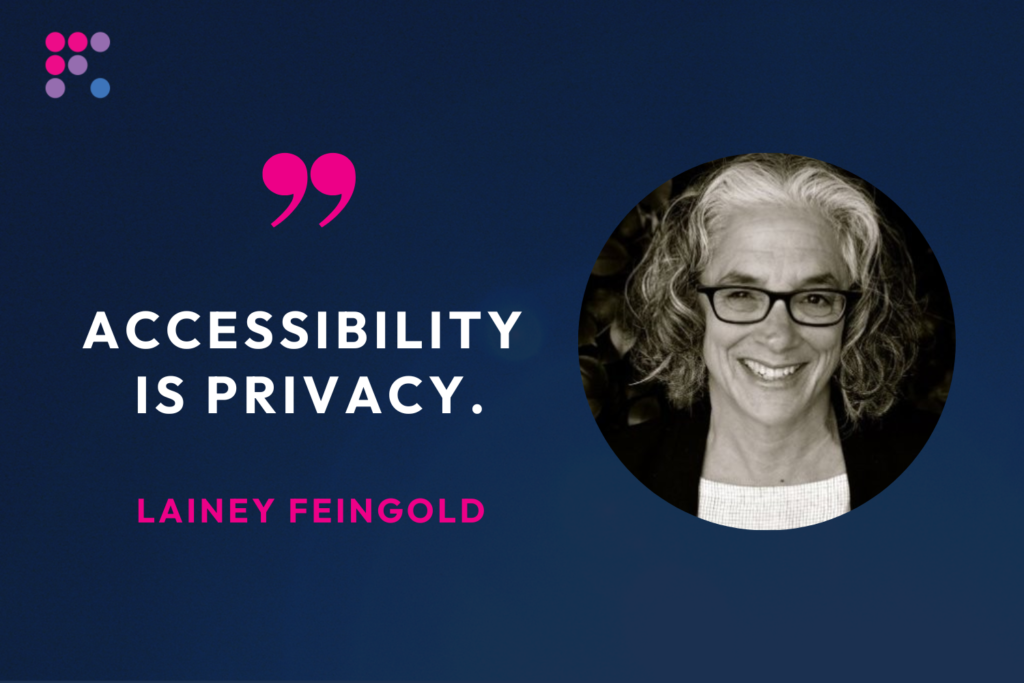
Quote from Lainey:  "Accessibility is privacy."

Could you please share some examples of Structured Negotiation? Some favorite cases, perhaps?

One case that stands out is my work with Major League Baseball. Before that, I worked on accessibility with finance companies, where privacy issues are very apparent. Where, without accessibility, people have to share their PIN or their credit card number with strangers to buy groceries. I always say accessibility is privacy. We also worked on some healthcare issues, which everyone understands. No one wants to share health information. But without accessibility, disabled people have to share confidential information. 

When I was first approached to work with Major League Baseball, I thought, well, compared to health and finance, you know, how important is this? But, it made me see that everything that is designed to be done online is intended to be done independently. And that means privacy is always an important aspect of digital ​​accessibility.

We worked with some great blind baseball fans who wanted to listen to the games from their announcers wherever they were in the country or to check out the statistics of their favorite players. And they didn’t want to have to ask for help or share their MLB password. And while an MLB password might not be the same caliber as your health or checking account information, the truth is the digital world was made for independent use. And accessibility is the thing that makes independent use possible for disabled people. 

So we brought blind baseball fans together with MLB executives, and the barriers came down. The MLB execs didn’t see someone suing them; they saw fans. They saw baseball enthusiasts, not adversaries or enemies. And we were able to work together.  

Another great case was with a young woman named Rio Popper, who was only seven when we started working with Cinemark to provide audio descriptions at their theaters. Rio was blind, and her mother, Helen, was a great activist and advocate for her daughter and for other blind people. Originally, it was a hard sell. I talk a lot about the win-wins and successes, but not every introductory letter is met with an open, collaborative mind. Structured Negotiation is a strategy to get to that point. 

But with Cinemark, after involving other blind movie lovers, we eventually did get there, and Cinemark wanted to test the audio description solution with our clients. This is so transferable to the digital world at large. Anyone at any company who has an idea should make sure disabled people are in the room as early as possible to create truly accessible experiences. 

Anyway, a group of myself, my colleague Linda Dardarian who was also working on the ​​negotiation, Rio, Helen, and others got to have a private showing of the Cars movie in downtown San Francisco. I think there were seven blind people. And the head guy from Cinemark witnessed these people — these customers — experience the movie with audio description. Although there’s a slight delay with audio description, Cars was a funny movie, and people were laughing and enjoying themselves. The executive got to see that for himself and what an impact the audio description had on the moviegoers. 

Those moments are the highlights. I can’t say every case was as successful, but bringing people together in the same room to see commonalities is always a highlight. I think developers and designers want to make their technology available to as many people as possible. They want it, though they might not understand how to do that for users with disabilities yet. So that’s our collective job in this community, bringing people together.

You have a slogan: “spend money on access, not lawyers.” Can you please expand on that?

Yes, I do say that. But I also need to say that the ADA is a civil rights law, and it depends on lawyers enforcing it. I’m not saying “no lawyers,” and we’re not saying “no lawsuits.” Lawsuits are always an option. And there are a lot of ethical lawsuits that get filed — that need to be filed.

However, whether you’re in a lawsuit and pivoting to Structured Negotiation, which some people have started to do, or you approach it like my clients and me and skip the lawsuit altogether, it’s much better to spend money on a solution than fighting. That’s another way to say it: spend money on making accessible solutions instead of fighting. 

Really, it’s the same concept as shifting left — spend money on shifting left by thinking about and implementing accessibility in the design phase, instead of waiting to spend money to fix mistakes later.

—

For more from Lainey, please visit her website: LFLegal.com

Ready for part two? Read it here.